
 Sponsor


Flow PHP - Release 0.41.0
This is a first blog post about Flow Release, and 0.41.0 is bringing a lot of cool new features, mostly around Telemetry and Symfony Integration.
The plan is to write a blog post for each release, or at least try to.
Symfony Telemetry Bundle
This is where most of our efforts were focused on, so lets start from the most exciting one.
Telemetry integration with Profiler
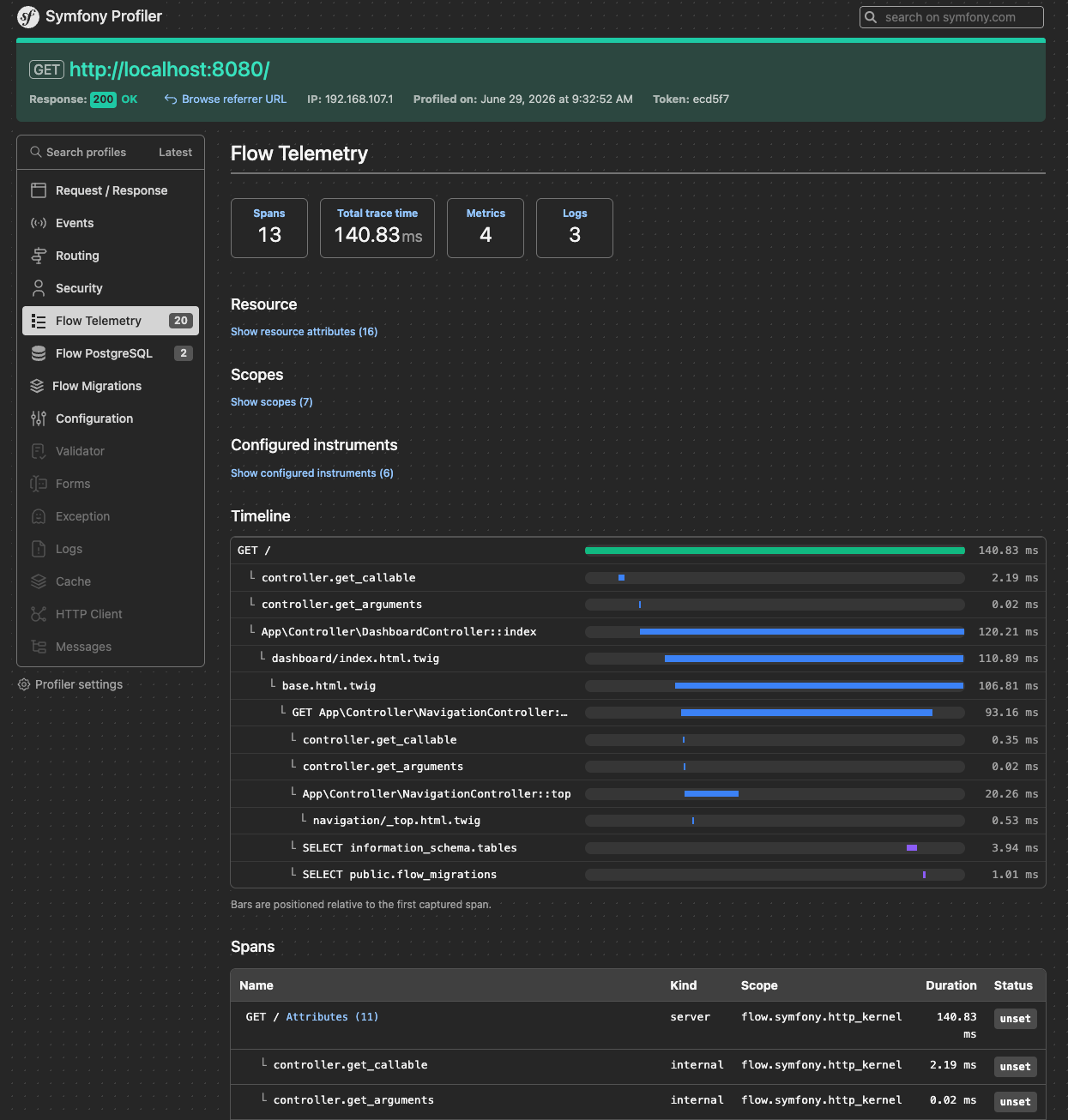
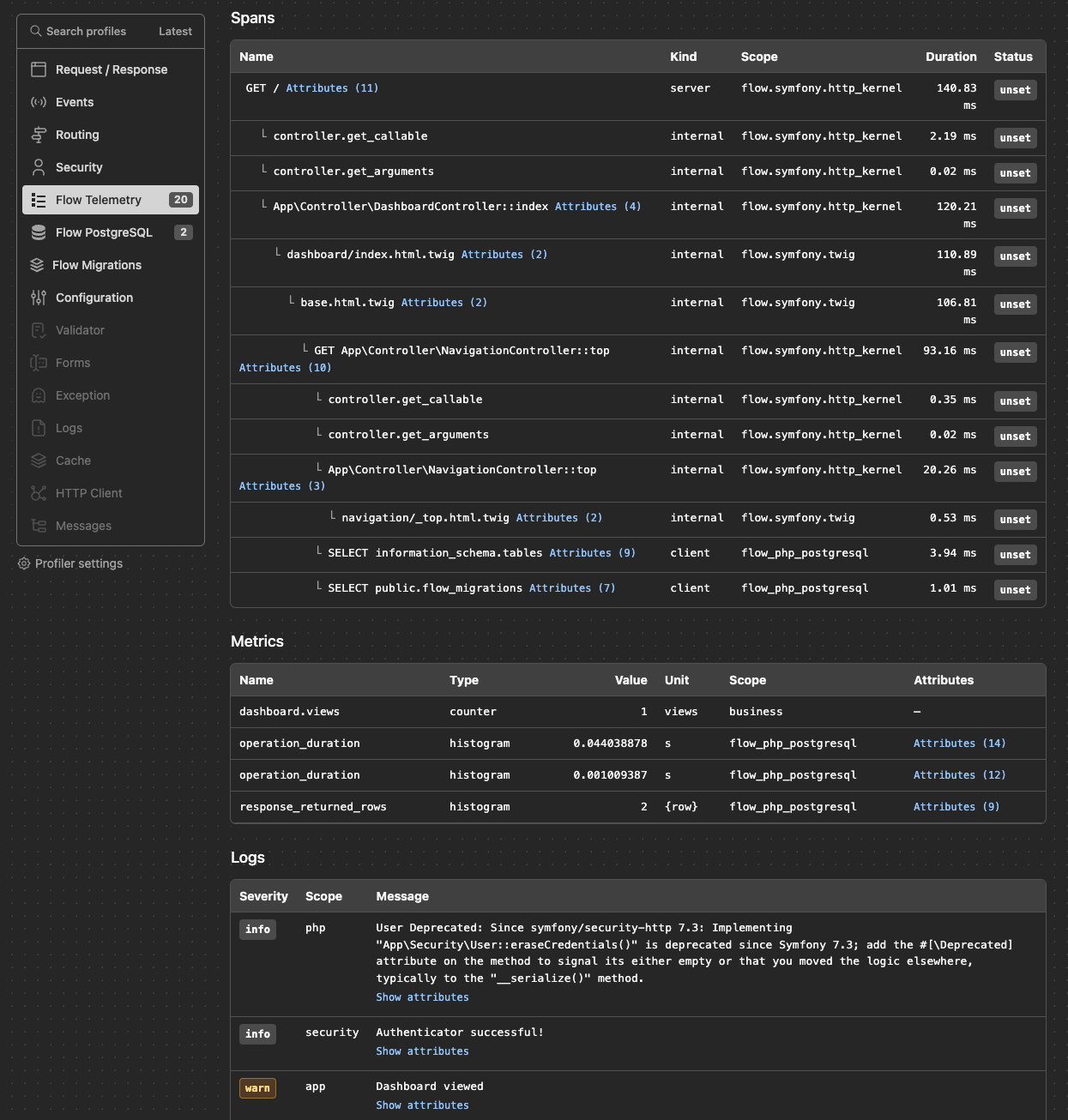
This way during local development, we don't need to setup a full scale APM to quickly check if given part of the system is correctly collecting telemetry signals.
Profiler integration is configurable on the bundle level, you can read more about it in documentation.
Telemetry Worker Mode Support
Modern PHP systems are often deployed in the Worker mode, through runtimes like FrankenPHP or Swoole. In order to support that, we introduced a ResettableContextStorage and a mechanism that can automatically detect if system is running in a worker mode.
runtime_mode can also be configured at symfony configuration level.
flow_telemetry:
  runtime_mode: auto  # auto|classic|worker
Messenger traces linking
Symfony Telemetry Bundle can now link traces that published message on the queue with message handling process (trace).
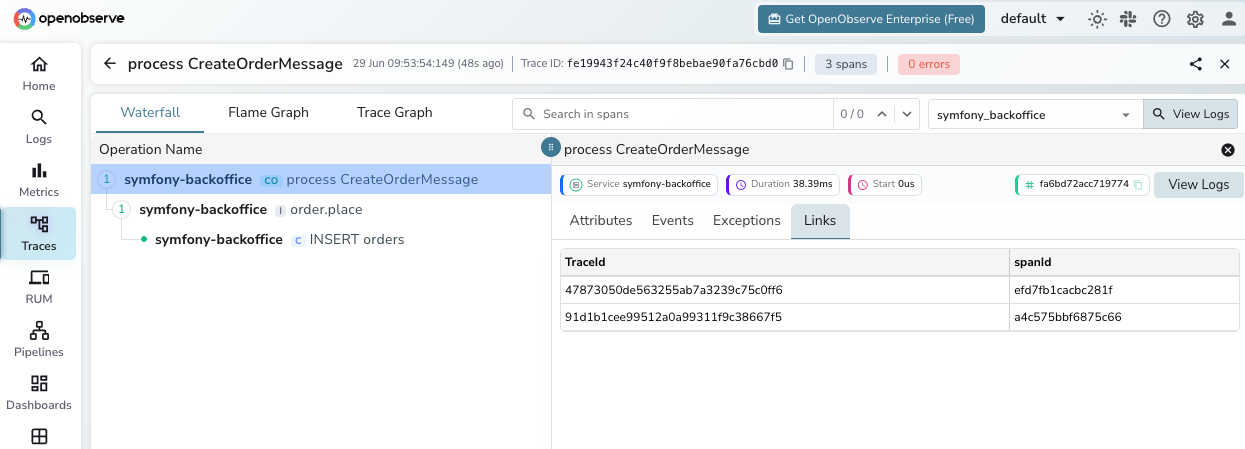
As we can see on the screenshot above, trace representing processing CreateOrderMessage
is now linked into two other Traces.
The first one is a Worker trace (Flow Telemetry separates workers from handlers) and the second one is a
link to a Controller that published that CreateOrderMessage on the queue.
That behavior is also configurable at Symfony Bundle level.
flow_telemetry:
  instrumentation:
    messenger:
      enabled: true
      context_propagation: true  # Propagate context across message boundaries
      propagation_style: link     # link|continue - How the consumer span relates to the producer span
      link_to_worker: true        # Link each message trace back to the messenger:consume worker span
Disable/Enable Exporters
Integrating Telemetry into existing systems can be really challenging task. It might be a good idea to start in development environment or staging first, and only when everything is calibrated and tuned, enable it also at production.
Now it can be achieved by a dedicated enabled option added to each export
flow_telemetry:
  exporters:
    otlp_exporter:
      enabled: '%env(bool:OTEL_ENABLED)%' # off → discard exports; profiler still captures every signal
      otlp:
        transport:
          type: curl
          endpoint: '%env(OTEL_ENDPOINT)%'
          encoding: protobuf
Symfony PostgreSQL Bundle - Profiler Integration
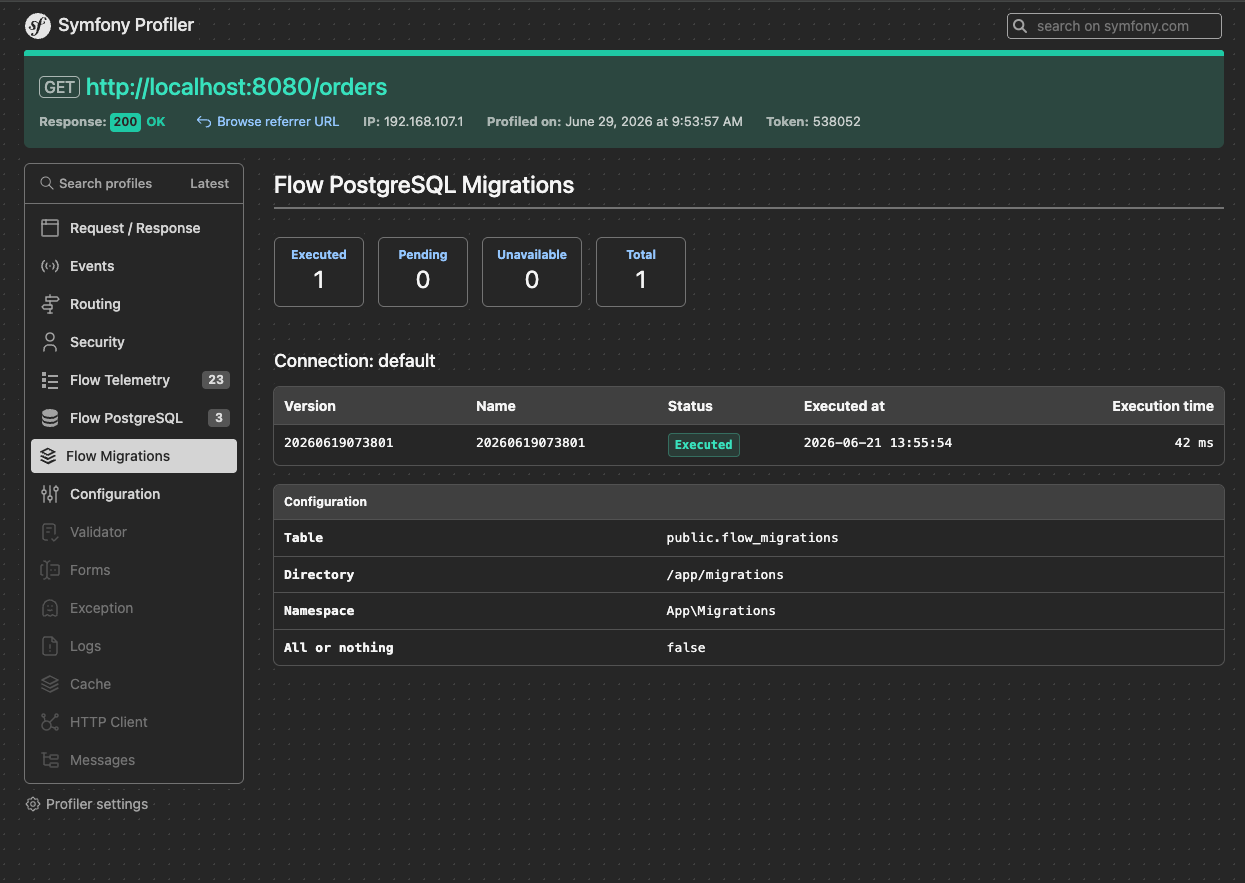
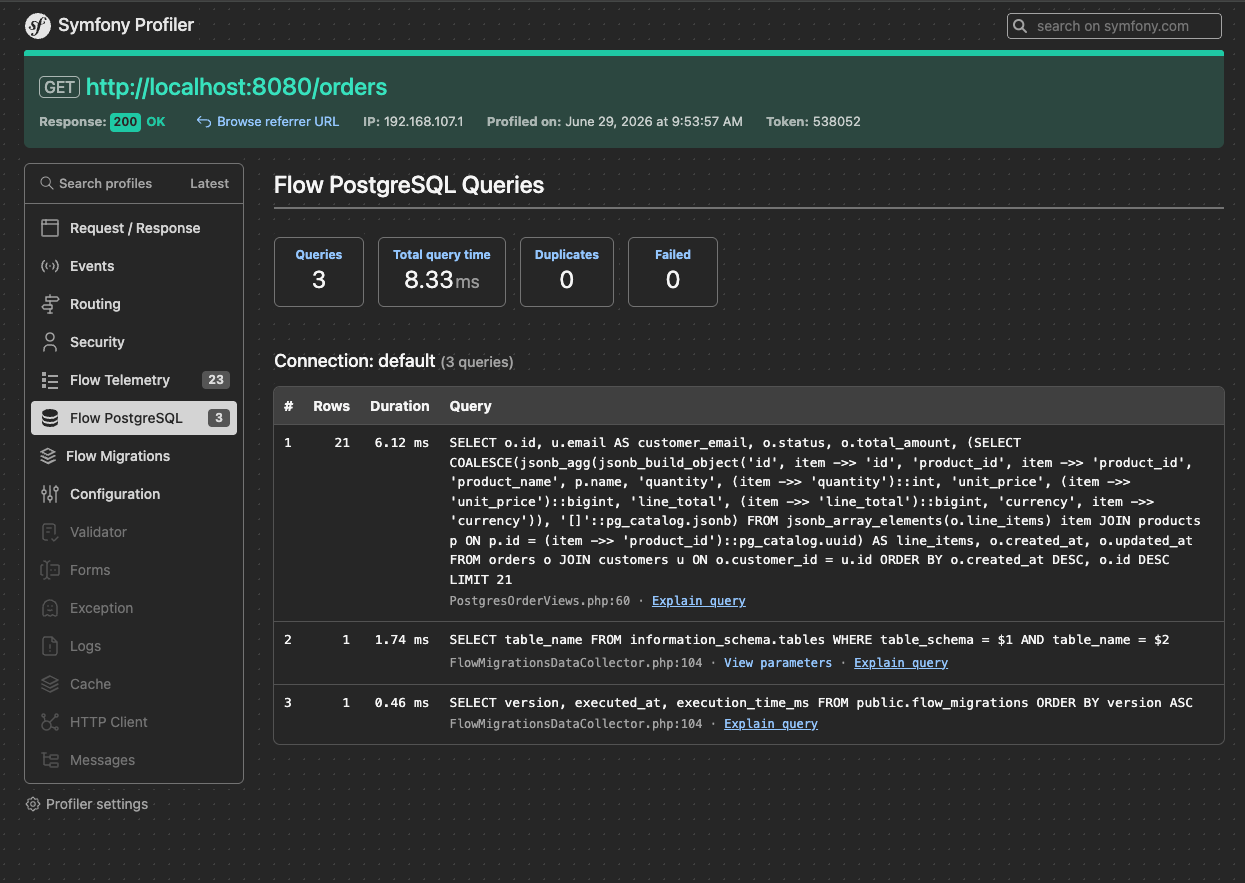
Similarly to Telemetry, PostgreSQL Bundle supports Symfony Profiler where we can see all queries and current migrations status.
Integration with SEAL
SEAL - Search Engine Abstraction Layer is now supported
by flow through dedicated flow-php/etl-adapter-seal
This adapter was delivered by Aleksander.
This opens a new set of features for Flow, making scalable indexing documents from various sources easier than ever.
Please look at the example of indexing a CSV document:
<?php

use CmsIg\Seal\Adapter\Elasticsearch\ElasticsearchAdapter;
use CmsIg\Seal\Engine;

use function Flow\ETL\Adapter\Seal\to_seal_schema;
use function Flow\ETL\DSL\{int_schema, schema, str_schema};
use function Flow\ETL\Adapter\Seal\to_seal_upsert;
use function Flow\ETL\Adapter\CSV\from_csv;
use function Flow\ETL\DSL\data_frame;

// @var \Elastic\Elasticsearch\Client $client
$client = require 'elastic_client.php';
$schema = to_seal_schema(
    schema(
        str_schema('id'),
        str_schema('name'),
        int_schema('age'),
    ),
    index_name: 'users',
    identifier: 'id',
);

$engine = new Engine(new ElasticsearchAdapter($client), $schema);
$engine->createIndex('users');

data_frame()
    ->read(from_csv(__DIR__ . '/users.csv'))
    ->write(to_seal_upsert($engine, 'users'))
    ->run();
Those are just the most important additions to Flow PHP. For more details, check full at Changelog

